To improve your customer experience, you no longer have to remember your password! To sign in to our app, simply type in the mobile number that is both connected to your account and the phone that you have downloaded the app on to and we will send you a code to log in!
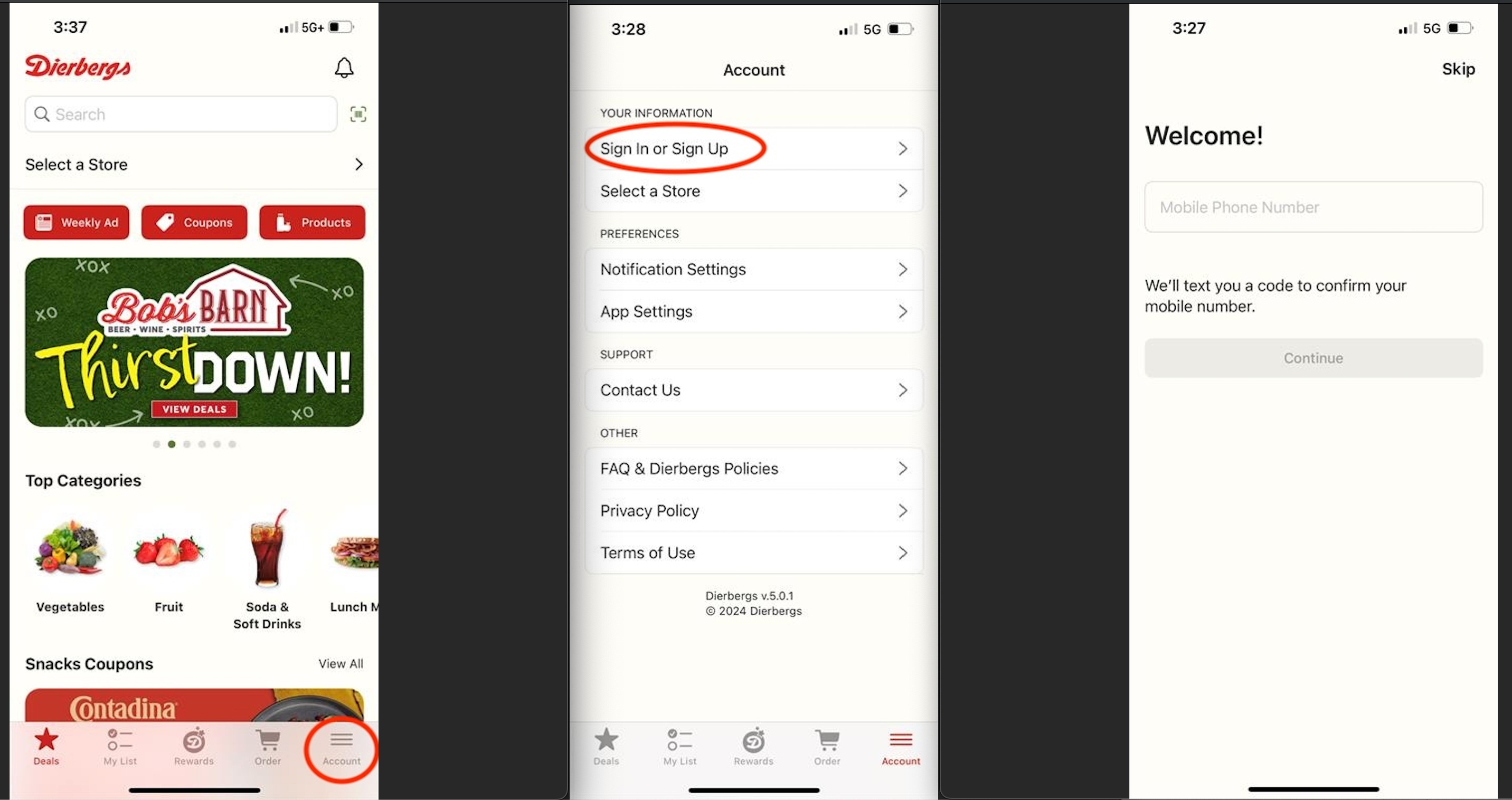
If you are viewing the app, you may have accidentally hit the word Skip. This allows you to view the app as a guest. From there, you can tap on Account in the lower right, then at the top tap on Sign in or Sign Up, which brings you to the Welcome screen. (see screnshots below)
Once you are at the welcome screen, you will enter your mobile phone number that is connected to your Rewards account, it will send you a code to log in and you will be good to go!